
Booking and fulfillment
Automatic booking, when orders are marked fulfilled in Shopify, and how your customers hear about their parcel.
Last updated 17 October 2026
Under Settings → Booking and fulfillment:
Automatic booking#
Switch on Book prepaid orders automatically, Book cash on delivery orders automatically, or both, and new orders are booked with India Post as soon as they’re ready to book, without you selecting them.
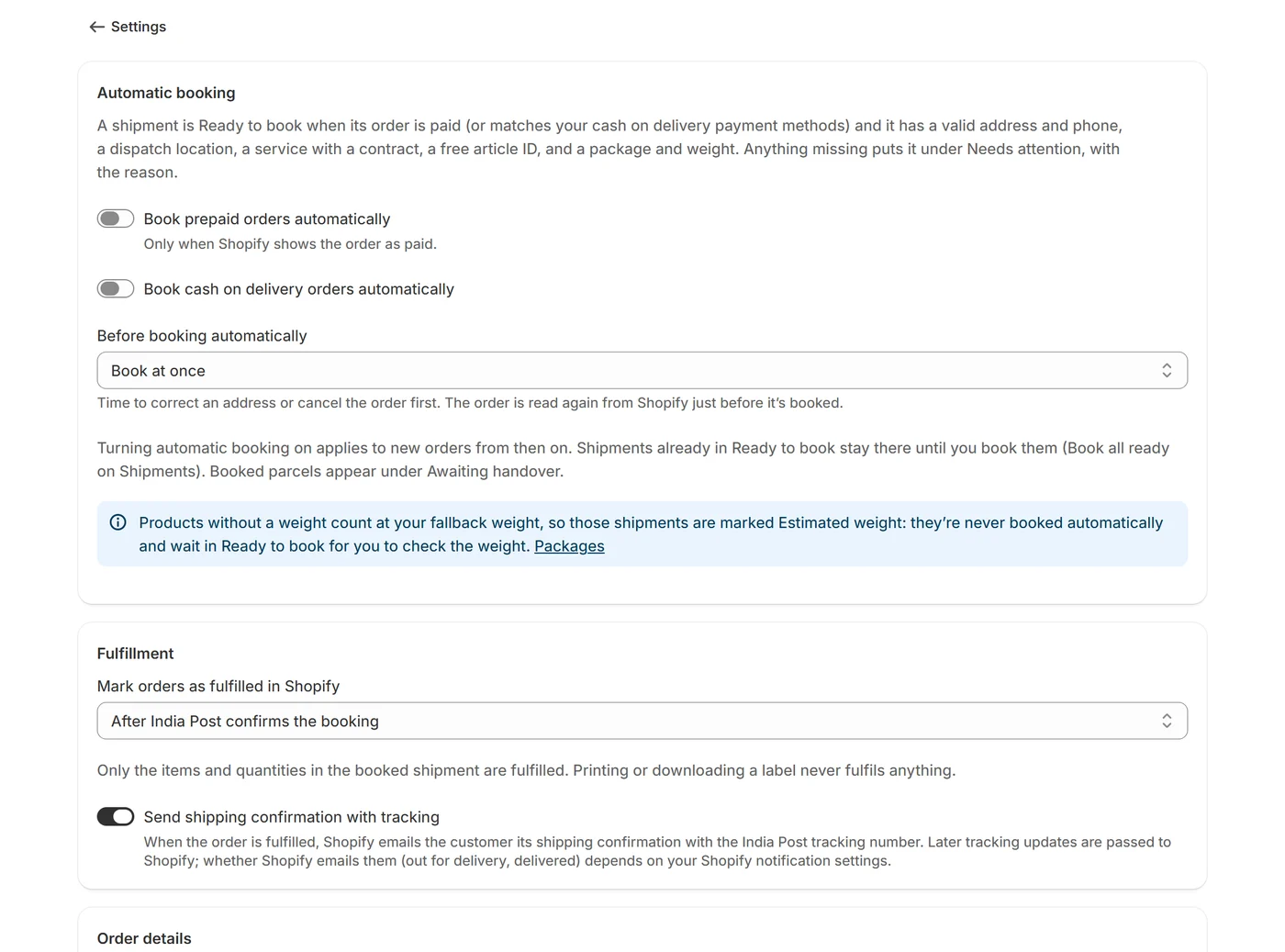
- It applies to orders that arrive after you switch it on. Shipments already waiting under Ready to book stay there until you book them.
- Before booking automatically: Book at once (the default), or wait 15 minutes, 30 minutes, 1 hour or 2 hours, so there’s time to correct an address or cancel the order. The order is read again from Shopify just before it’s booked.
- A shipment whose weight is estimated (a product without a weight) is never booked automatically: it waits under Ready to book for you to check it.
- If India Post keeps rejecting your login, or your article IDs run out, automatic booking pauses and says why. Resume it on the Shipments page once it’s fixed.
Fulfillment#
Under Mark orders as fulfilled in Shopify, choose:
- After India Post confirms the booking: as soon as India Post accepts it (printing a label never fulfils anything).
- When India Post first scans the parcel: once it’s in India Post’s hands.
Either way, only the items and quantities in the booked shipment are fulfilled, the fulfillment carries the article ID as its tracking number, and India Post’s scans are sent to Shopify as the parcel moves. A booking India Post didn’t clearly confirm is fulfilled at its first scan.
Customer emails#
With Send shipping confirmation with tracking on, Shopify emails your customer its shipping confirmation with the India Post tracking number when the order is fulfilled. Later tracking updates are passed to Shopify; whether Shopify also emails out-for-delivery and delivered updates depends on your Shopify notification settings.
Ready to book#
A shipment is ready to book when its order is paid (or matches your cash on delivery payment methods) and it has a valid address and phone, a dispatch location, a service with a contract, a free article ID, and a package and weight. Anything missing puts it under Needs attention, with the reason.
Order details#
- Cash on delivery payment methods: the payment method names that mean cash on delivery, as they appear on your orders. Each must match exactly (case, spaces and punctuation don’t matter). See Cash on delivery.
- Include Shopify test orders: offered only on India Post’s test system. Test orders are never booked on the live system, even ones already waiting.
- The section also shows what happens to products without a weight, with Change it on Packages.