
Hand-over and pickup
Taking parcels to the post office, or having India Post collect them.
Last updated 17 October 2026
Drop-off#
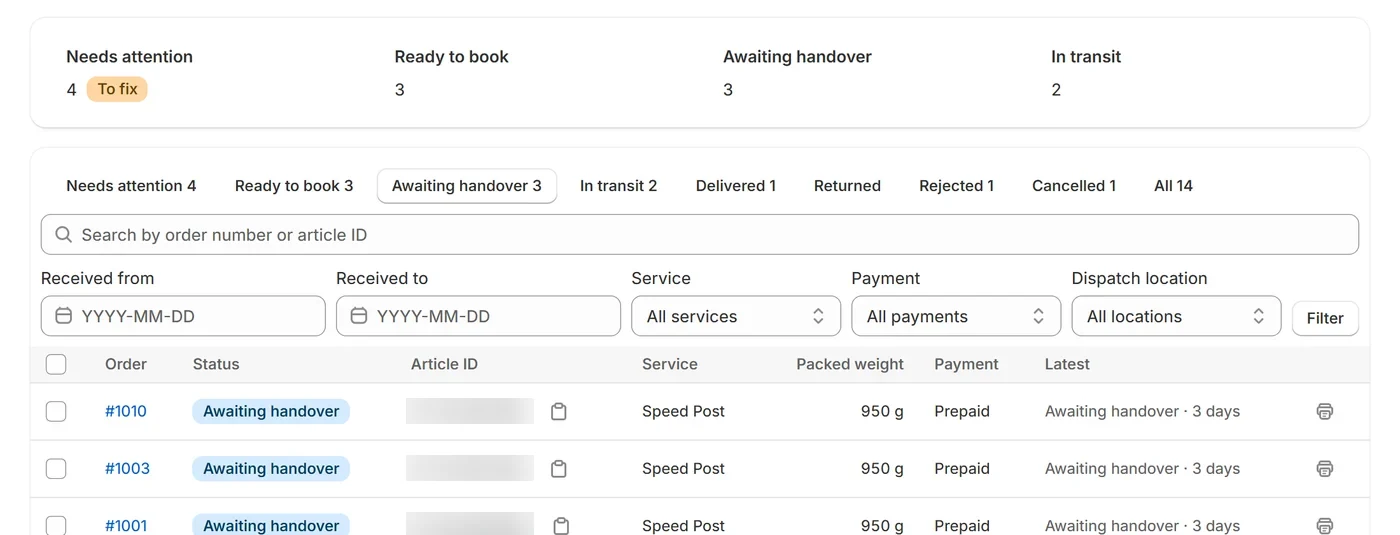
Choose Print hand-over labels (N) at the top of the Shipments page, stick each label on its parcel and mark them printed (see Labels): they move from Print labels to Awaiting handover. Take them to your booking office. Once India Post scans a parcel, it moves to In transit. Until then it’s under Awaiting handover; select parcels there and choose Record handover to note when they left (the status doesn’t change until India Post scans them).
Hand-over list#
Hand-over list (N) prints a sheet to take with the parcels, for the post office to sign. It covers parcels whose label is marked printed (under Awaiting handover), listing each one’s article ID, order, service, weight and cash on delivery amount, grouped by booking office with totals, and ends with “Received by India Post” lines for the clerk’s name, signature and office seal. Up to 500 parcels go on one list. Parcels you recorded as handed over today stay on it, so you can record the handover before or after printing; an earlier day’s are left out. To print the sheet for particular parcels (for example ones recorded yesterday and taken today), tick them under Awaiting handover and choose Hand-over list.
- Each parcel is in one hand-over file, so the next one starts with parcels booked since. To print a label again, select the parcel and print its label.
- Parcels that need you first are left out until you deal with them: for example the order was cancelled or refunded, its address or cash on delivery amount changed after booking, its fulfillment was cancelled in Shopify, or it’s marked for return to sender. They’re under Needs attention.
- After your store goes live, bookings made on India Post’s test system are left out too.
Pickup by India Post#
For a dispatch location set to pickup, each booking asks India Post to collect the parcel:
- On the location’s next collection day after the day of booking, in its time slot (10:00 to 13:00, or 13:00 to 16:00).
- A collection day is Monday to Saturday, one of the location’s pickup days, not one of its closed dates, and not Republic Day, Independence Day or Gandhi Jayanti. Add other local holidays as closed dates.
- You can choose a different pickup date or time on a shipment before it’s booked. The date picker only offers collection days.
- If the date you chose has passed by the time it’s booked, the shipment waits under Needs attention for a new date; it’s never moved on its own.
India Post decides same-day collection and cut-off times locally. Check them with your booking office.