
Staff notifications
Emails to you and your team when a shipment needs you, and a daily summary.
Last updated 17 October 2026
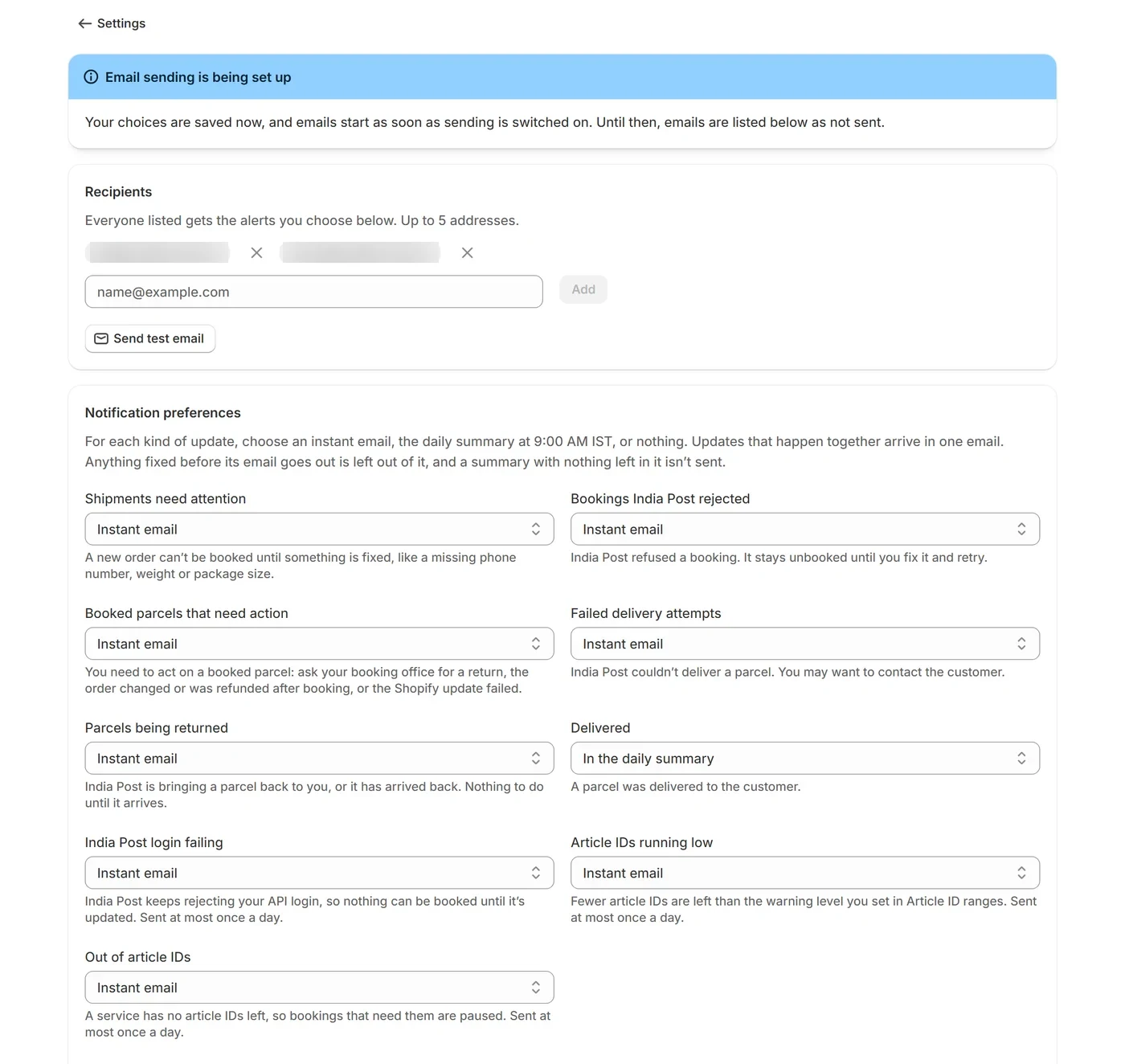
Under Settings → Staff notifications, add up to five email addresses under Recipients (Add it suggests your store’s Shopify email). Everyone listed gets the alerts you choose. The emails come from support@myenrixa.com and name each order and article ID, never your customers’ details.
What you can be told about#
- Shipments need attention: A new order can’t be booked until something is fixed, like a missing phone number, weight or package size.
- Bookings India Post rejected: India Post refused a booking. It stays unbooked until you fix it and retry.
- Booked parcels that need action: You need to act on a booked parcel: ask your booking office for a return, the order changed or was refunded after booking, or the Shopify update failed.
- Failed delivery attempts: India Post couldn’t deliver a parcel. You may want to contact the customer.
- Parcels being returned: India Post is bringing a parcel back to you, or it has arrived back. Nothing to do until it arrives.
- Delivered: A parcel was delivered to the customer.
- India Post login failing: India Post keeps rejecting your API login, so nothing can be booked until it’s updated. Sent at most once a day.
- Article IDs running low: Fewer article IDs are left than the warning level you set in Article ID ranges. Sent at most once a day.
- Out of article IDs: A service has no article IDs left, so bookings that need them are paused. Sent at most once a day.
Instant, daily summary or off#
- Under Notification preferences, choose, for each kind, an instant email, the daily summary at 9:00 AM IST, or nothing. Updates that happen together arrive in one email.
- Anything fixed before its email goes out is left out of it, and a summary with nothing left in it isn’t sent.
- Account alerts (India Post login, article IDs) are always instant, and sent at most once a day.
Wording and checking#
- Change email wording changes each email’s subject and first line, with a preview. {store} is your store’s name and {count} how many parcels. Send test of this email tries one, and Reset to default puts back the original wording.
- Send test email sends a sample to your saved addresses.
- Recent emails lists what was sent: Sent means our mail server accepted it. A failed email shows why; choose Retry to send it again.
Emails to your customers come from Shopify, not from this app: see Booking and fulfillment.