
Needs attention
Every reason a shipment can wait for you, and how to fix it.
Last updated 17 October 2026
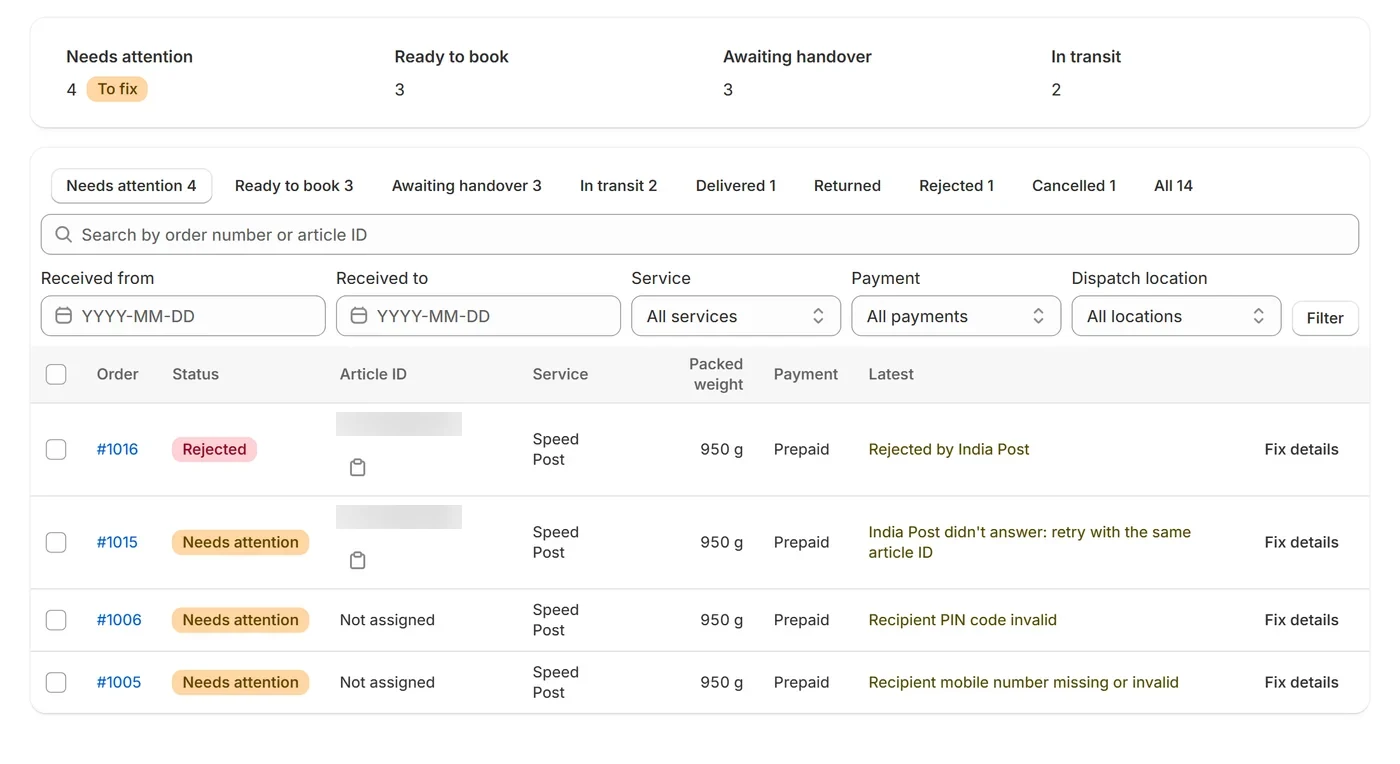
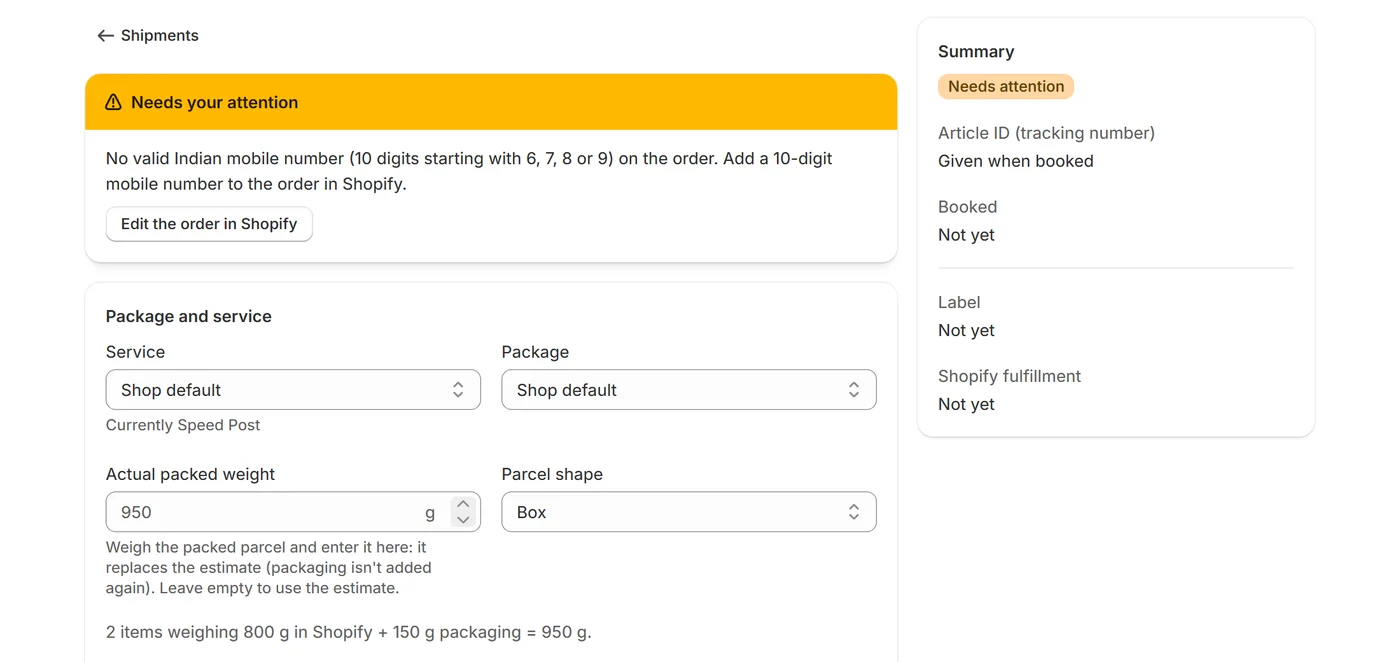
A shipment that can’t be booked yet, or a booked parcel that needs you, is listed under Needs attention with the reason and a link to where it’s fixed. Most clear by themselves once the cause is fixed. The others have a button on the shipment for the next step: Re-check order, Retry Shopify fulfillment, Update Uniware, Book without Uniware, Retry or Mark as handled.
| Reason | What to do |
|---|---|
| Setup incomplete | Finish setup in Settings, then retry. |
| No valid phone | Add a 10-digit mobile number to the order in Shopify. |
| Bad PIN code | Fix the PIN code on the order's shipping address in Shopify. |
| Address too long | Shorten the shipping address in Shopify. |
| COD split over parcels | Set how much this parcel should collect. |
| Package too big or small | Pick a different package or service. |
| Too heavy or too light | Adjust the weight or pick a different service. |
| Out of article IDs | Add a new article ID range from India Post in Settings → Article ID ranges; waiting shipments are picked up again. |
| No weight | Weigh the packed parcel and enter its weight on this shipment, or add the missing product weights in Shopify. To count such products at a set weight instead, choose a fallback product weight in Settings → Packages. |
| No contract for service | Add the contract ID for this service in Settings → Services and contracts, or choose another service on this shipment. |
| No package size | Add a package size in Settings → Packages. |
| No address | Add the shipping address to the order in Shopify; this updates by itself. |
| Rejected by India Post | Fix what India Post's reason names (on the order in Shopify, or on the shipment), then Retry. The same article ID is used. |
| Article ID already used | Retry: this shipment is replaced with a new one that gets the next article ID. If several IDs in a row come back as already used, part of your range was used elsewhere: in Settings → Article ID ranges, choose Skip ahead on the range. |
| Box too big by volume | Choose a smaller package on this shipment, or change the default in Settings → Packages. |
| Booked on the other India Post system | Retry: this shipment is replaced with a new one on your current India Post system (its old article ID is void). |
| Already shipped from Uniware | Not booked, so the order can't ship twice. If that Uniware parcel isn't going (or you've sorted it out in Uniware), use Book without Uniware: it's booked with a new article ID and Uniware isn't changed. If it's going, cancel this shipment. Fixed it in Uniware? Retry. |
| Couldn't check Uniware | Retry once Uniware answers: the app checks Uniware first so an order can't ship twice. |
| Uniware has another shipment | Only one parcel should go out for this order. Cancel the extra one, here or in Uniware, then mark this as handled. |
| Uniware update failed | Retry to update Uniware again, or set the India Post courier and this article ID on the order's package in Uniware yourself, then mark this as handled. |
| Shopify fulfillment failed | Retry Shopify fulfillment. If Shopify still refuses, fulfill the order there yourself with this article ID as the tracking number, then choose Retry Shopify fulfillment again: the app links to that fulfillment and keeps sending tracking updates. |
| Fulfillment cancelled in Shopify | Not sending the parcel: cancel this shipment. Still sending it: cancel the new shipment that appeared under Ready, fulfill the order in Shopify with this article ID, then mark this as handled. |
| Order cancelled after booking | Cancel the shipment here so its article ID is void. If the parcel is already at the post office, ask your booking office to return it to you, then mark this as handled. |
| Address changed after booking | If the parcel hasn't gone yet, cancel it and book the order again for a new label. Otherwise mark this as handled. |
| COD changed after booking | If the parcel hasn't gone yet, cancel it and book again. Otherwise tell your post office, then mark this as handled. |
| Refunded after booking | If the parcel hasn't gone yet, cancel it. If it has, ask your booking office to return it, then mark this as handled. |
| No final status after 60 days | Call your booking office with the article ID, then mark this as handled. |
| Return to sender needed | Ask your booking office to return the parcel to you, then mark this as handled. |
| Login failing | Once it's fixed, Retry: the same article ID is sent again. |
| Ships from outside India | In Shopify, change the order's fulfillment location to one in India, then choose Re-check order (it's also checked again every few hours). |
| India Post refuses its tracking | Check the article ID with your booking office. Tracking is tried again once a day, and this clears by itself when it works. |
| Booking outcome unknown | Retry: the same article ID is reused, so it can't book twice. |
| Pickup date passed | Choose a new pickup date on this shipment, or clear it to use the next working day. |
| Pickup cancelled by India Post | Hand the parcel over at your booking office, or ask it to arrange the pickup again. This clears by itself once India Post scans the parcel. |
| Order too large | Fulfill it in Shopify directly, or split it into smaller orders. |
| Bad COD amount | Set the amount to collect under Package and service. |
| COD not in Indian rupees | India Post collects cash on delivery in Indian rupees (INR) only. Send this one another way, then cancel the shipment here. |
| Bad name | Fix the customer's name on the order's shipping address in Shopify. |
| Bad city | Fix the city on the order's shipping address in Shopify. |
| Details incomplete | Open the shipment and fix the highlighted details. |
| Cod confirm waiting | Nothing to do: it books by itself once the buyer taps Confirm, or as you chose in Settings → WhatsApp updates if they don't answer. |
| Cod declined | Cancel the order in Shopify. If the buyer changed their mind, mark it confirmed in Settings → WhatsApp updates. |
| Cod no reply | Call the buyer, then mark it confirmed in Settings → WhatsApp updates. |
| No pickup day available | Add pickup days, or remove closed dates, for its dispatch location in Settings → Dispatch locations. |
| No pickup time | Choose a pickup time for its dispatch location in Settings → Dispatch locations. |
| Detail missing | Add the detail the reason names, on the order in Shopify or on the shipment. |
| Detail too long | Shorten the detail the reason names, on the order in Shopify or on the shipment. |
| Detail in the wrong format | Correct the detail the reason names, on the order in Shopify or on the shipment. |
| No package dimensions | Choose a package size on the shipment, or add one in Settings → Packages. |
| OTP delivery needed | 24h Speed Post Parcel needs OTP delivery: choose another service on the shipment. |
| Bad article ID | Check your article ID range in Settings → Article ID ranges against what India Post allotted. |
Waiting for Shopify#
Orders waiting for payment, on hold or scheduled for later in Shopify wait too, counted separately as “Waiting for Shopify”. They continue on their own when that changes in Shopify.